

Versjon 2.14
VertiTab v2.14 adds AI smart grouping to automatically categorize tabs by content. Picture-in-picture enhancements include progress bar thumbnails, live chat danmaku display (Twitch/YouTube Live), screenshot feature, and floating button. New recently accessed tabs and quick switch shortcuts.
v2.14Inneholder 7 versjonsoppdateringer
v2.14.6
2025-01-06Added

- Added support for displaying Twitch and YouTube Live chat as danmaku overlays in picture-in-picture mode.
Fixed
- Fixed an issue where tabs were not updating correctly after detaching and attaching when using Workona.
- Fixed subtitle and danmaku display issues during continuous video playback.
v2.14.5
2025-01-03Fixed
- Fixed naming conflicts between injected extension functions and existing webpage functions.
v2.14.4
2025-01-02Fixed
- Fixed incomplete video display and missing floating button issues in YouTube TV picture-in-picture mode.
- Optimized floating button display logic.
- Improved communication between page and background service.
v2.14.3
2024-12-30Added
- Advanced Picture-in-Picture:
- Added support for Plyr player progress bar preview.
- Added support for Netflix progress bar preview.
- Added direct player settings for:
- Title display toggle
- Continuous playback toggle
- Privacy mode (When enabled, right-clicking closes the player and current tab while opening a new tab)
- Subtitle detection
- Floating button on web videos
Changed
- Improved mouse wheel progress control experience in PiP player.
- Enhanced automatic subtitle detection logic in PiP player.
Fixed
- Fixed background image being cleared after version updates requiring manual reset.
- Fixed background and text color inconsistencies in dark mode and custom background settings.
- Fixed progress preview thumbnails not displaying for some Vimeo videos.
- Fixed danmaku display issues on Bahamut Anime.
- Fixed floating button visibility issues on certain websites.
- Fixed floating button interfering with webpage click events.
- Improved floating button appearance.
v2.14.2
2024-12-26Added
- Added a new option "Floating Button on Video" in advanced picture-in-picture settings. When enabled, a floating button will appear on the video, allowing direct entry into picture-in-picture mode with a click.
Fixed
- Fixed an issue where progress bar thumbnails would not refresh when switching videos in picture-in-picture mode.
- Fixed an issue where toast messages would display multiple times simultaneously.
- Fixed an issue where tooltips did not hide when clicking on the PiP player.
v2.14.1
2024-12-24Added

- Introduced progress bar thumbnails for advanced picture-in-picture: YouTube, Bilibili, and Vimeo now support official progress bar thumbnails, while other websites utilize video screenshots for thumbnails.
- Implemented a picture-in-picture activation button located in the top-left corner of web videos.
- Added a screenshot feature to the picture-in-picture mode.
Changed
- Tree-style tabs are now accessible to non-premium users upon logging in.
- Enhanced the process of renaming tabs.
- Improved AI smart grouping functionality.
- Refined the advanced picture-in-picture experience.
- Upon exiting picture-in-picture mode, the video will pause if the current tab is inactive.
Fixed
- Resolved an issue where tab order was incorrect when navigating with up/down arrows to select tabs or history.
- Included missing translations for snapshot deletion.
- Corrected an issue where saving site configurations would overwrite existing settings.
- Fixed a problem where TabMenu items would extend beyond the screen after expanding all menus.
- Addressed an issue where Tencent Video could not accurately detect videos in advanced picture-in-picture mode.
v2.14.0
2024-12-14Added
- Premium Version
- 🪄 AI Smart Grouping
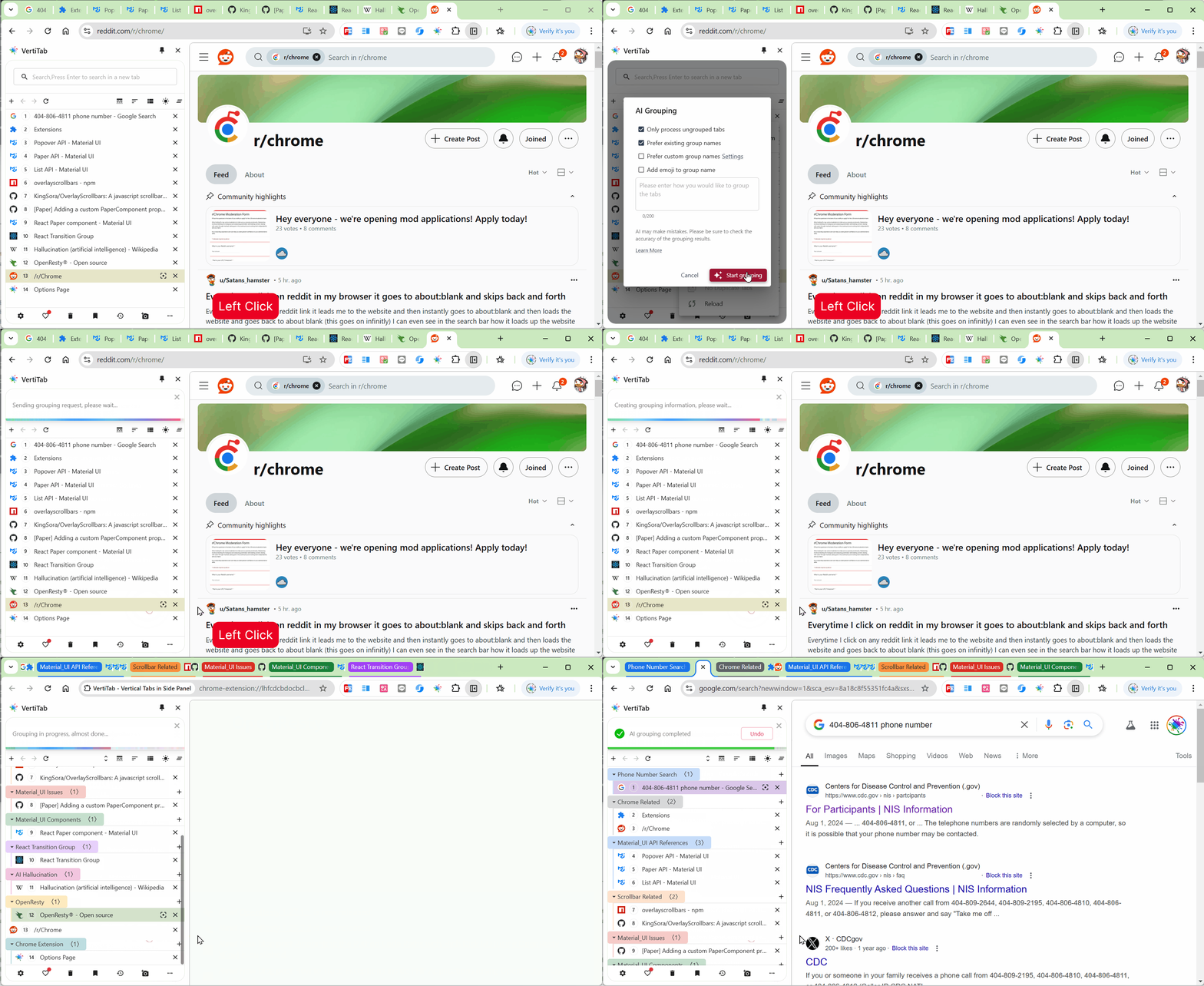
- 🪄 AI Smart Grouping
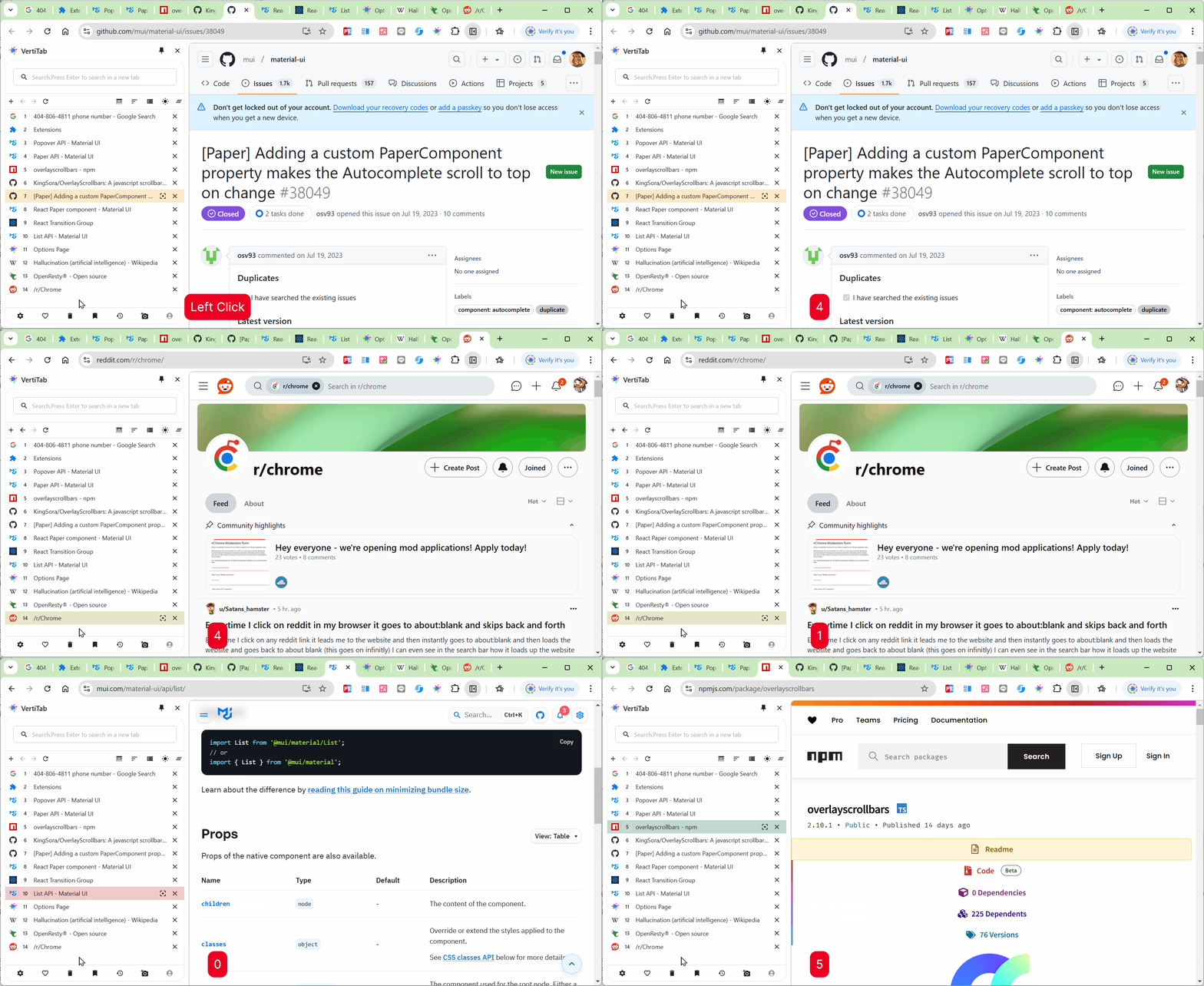
- Recently accessed tabs feature: Displays the last 5 accessed tabs, shortcut key "r", or add quick navigation in the bottom navigation.
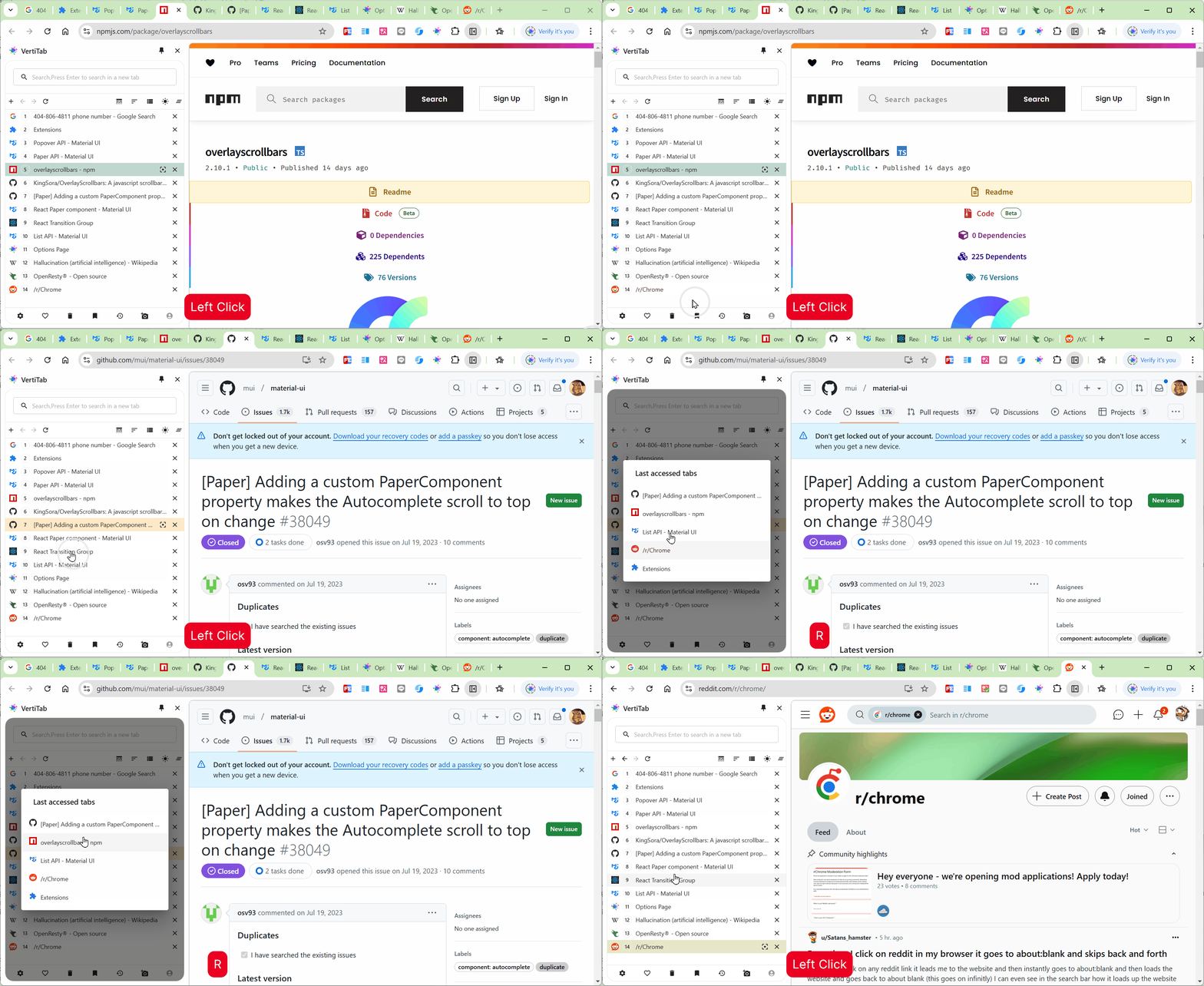
- Quick switch tab shortcut: Input a number within 1 second to switch to the corresponding numbered tab.
- Tree-style tab menu options:
- Show icons on hover, when enabled, icons are displayed when hovering over tree nodes
- Custom adjustment for list height and left indentation
- Group background color transparency adjustment.
- Multi-select tabs with Shift key, added right-click menu:
- Copy link
- Copy title
- Copy as Markdown (title and link)
Changed
- Optimized advanced picture-in-picture, default enabled when subtitles are supported.
- Auto snapshots, up to 20 auto snapshots for premium version, up to 5 for free version.
- Custom menu added "Expand All Menus".
Fixed
- Fixed issue where the page would automatically scroll down after switching.
- Fixed issue where the premium expiration popup was still displayed after logging in as a premium user.
- Optimized advanced picture-in-picture, fixed Disney+ subtitles not displaying correctly.