

Sürüm 2.15
VertiTab v2.15 refactors the snapshot management system with support for editing, pinning, password protection, and restoration by window/group/tab. Adds tab selection mode with box selection and Shift/Ctrl multi-select. New list background blur and glass effects.
v2.153 sürüm güncellemesi içerir
v2.15.3
2025-01-24Changed
- The "Beautify - Colored Background" feature in settings now requires login to use. This is because we plan to make it part of the theming functionality, which will be a premium feature. However, existing logged-in users before this change can continue using the theme features for free.
Fixed
- Fixed an issue where the disabled animation option being enabled by default prevented toast notifications from closing properly.
v2.15.1
2025-01-22Added
- Added font smoothing options for macOS users to control text rendering:
- Auto: Browser decides (uses subpixel anti-aliasing if available)
- Antialiased: Smooths fonts at pixel level, better for light text on dark backgrounds
- Subpixel: Provides sharpest text on most non-retina displays
- None: Disables font smoothing
- Added comprehensive tree structure management for tabs.
- Added new drag and drop handlers for different grouping modes.
- Added improved tab preview styling with glass effect support.
Fixed
- Fixed tab preview background color issue.
- Fixed parent-child relationship handling when closing tabs.
- Fixed tab tree structure maintenance during drag and drop operations.
v2.15.0
2025-01-19Added
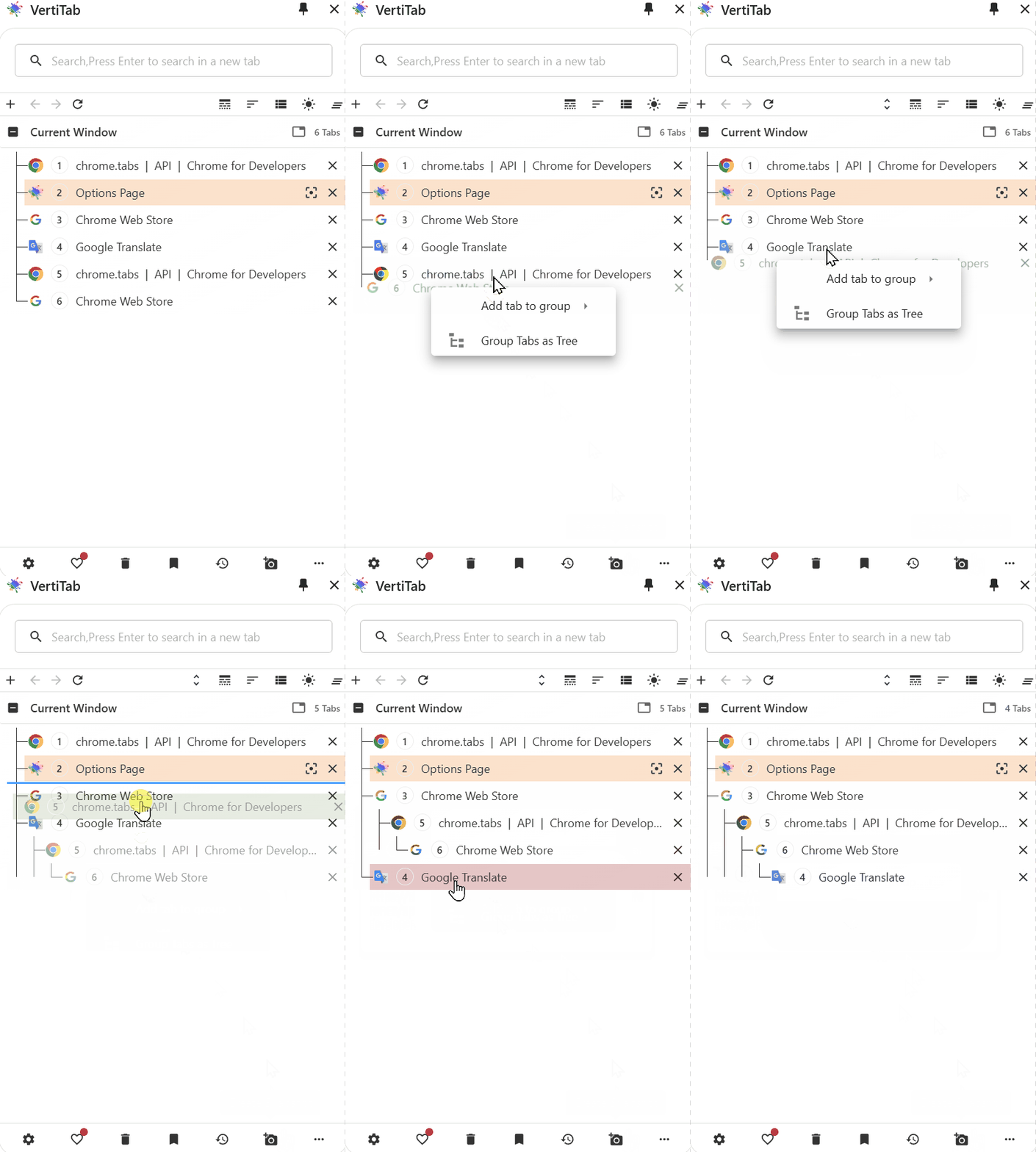
- Hover to display menu when dragging and dropping tabs:
- Organize tabs into a tree
- Add tabs to a group
- Refactored snapshot management system:
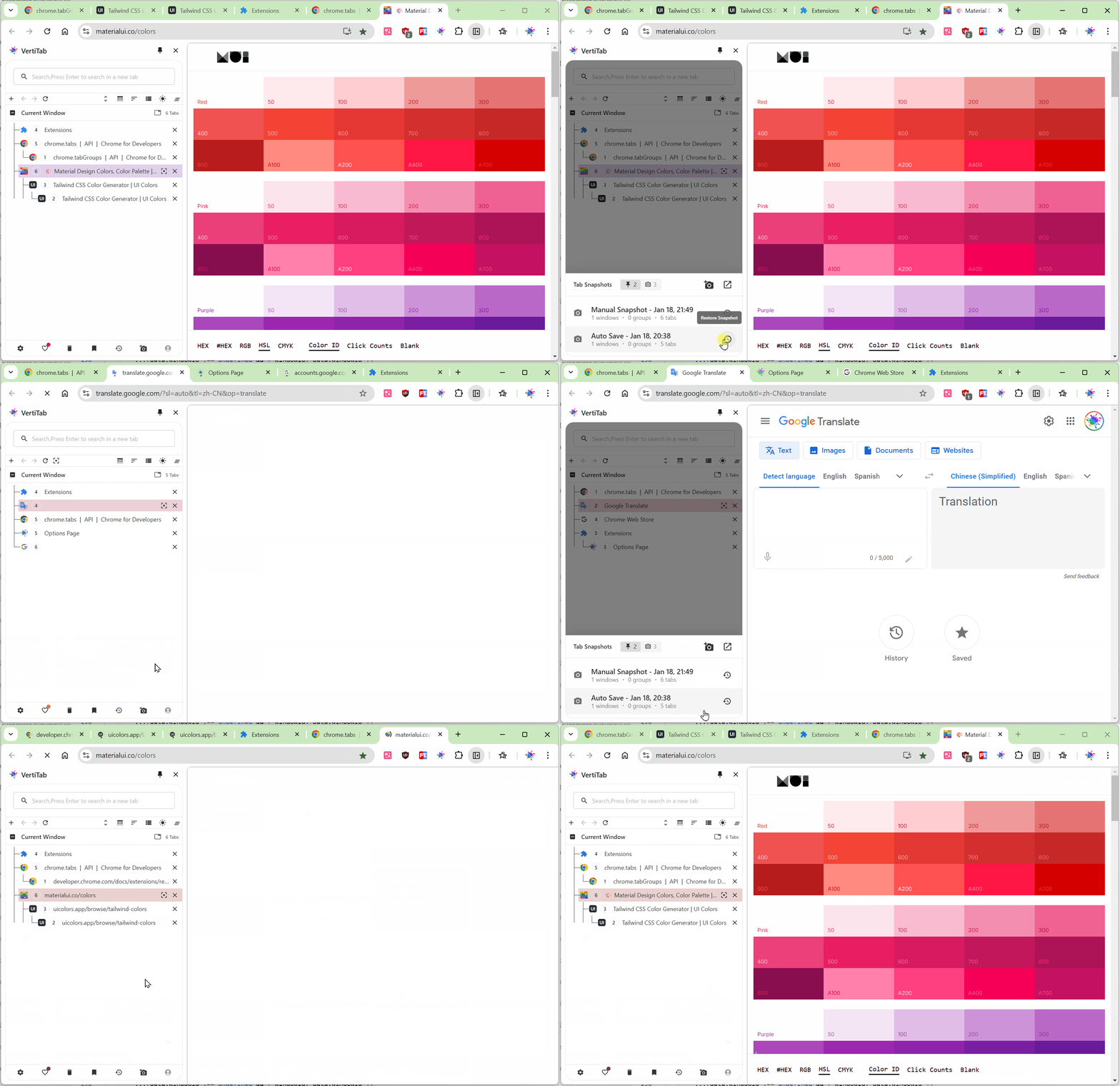
- Introduced a new card style
- Enabled features such as editing snapshots, pinning, and password protection
- Supported snapshot restoration by snapshot, window, group, and tab
- Enabled quick restoration from the sidebar
- Configurable in the background
- Snapshot settings in the options interface:
- Enable automatic snapshot creation
- Tab difference threshold
- Maximum number of automatic snapshots
- Maximum snapshot count
- Display snapshot recovery notification on startup
- Automatic snapshot cleanup
- Default recovery options
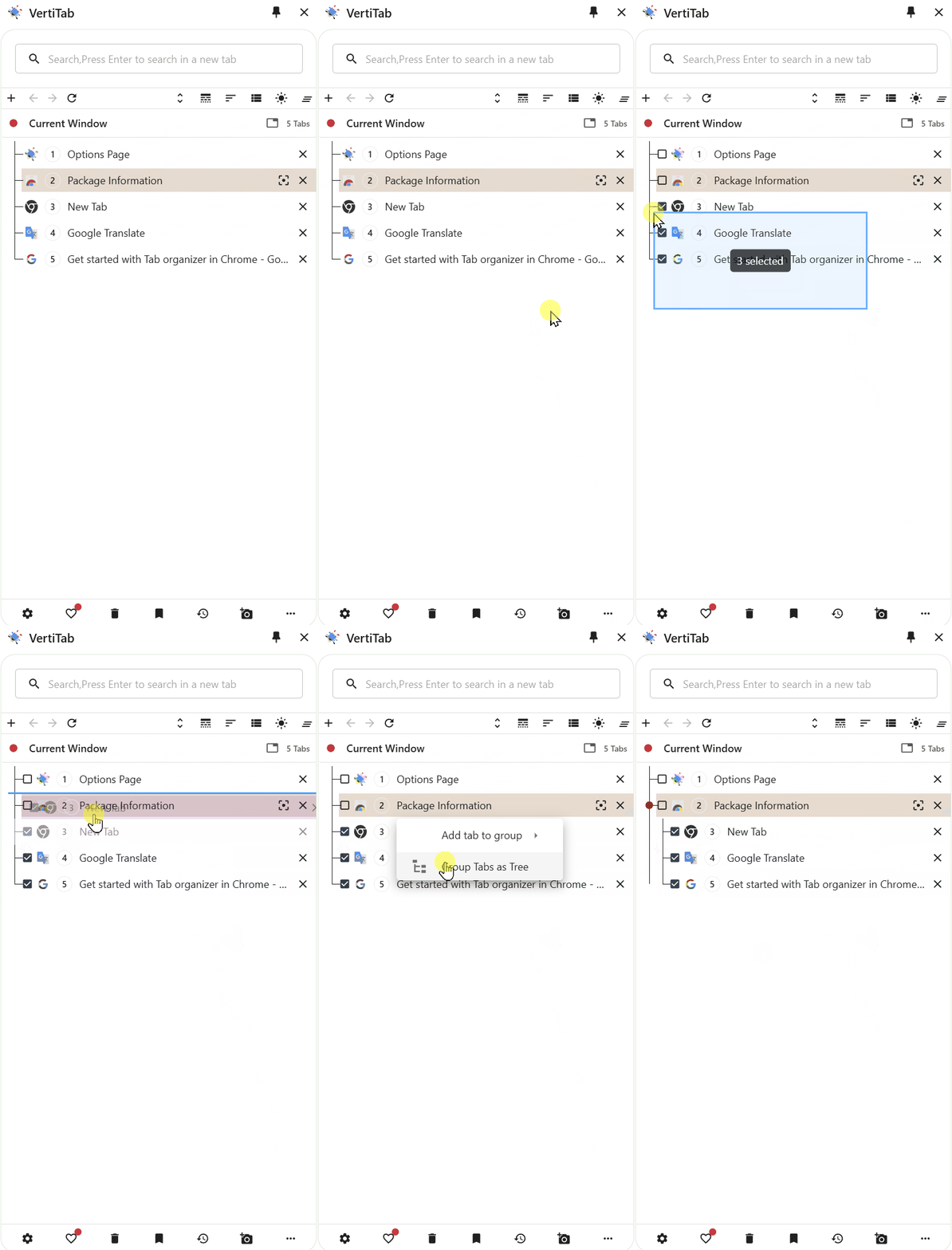
- Tab selection mode:
- Mouse drag to select multiple tabs
- Shift: Add to selection
- Ctrl/Cmd: Toggle selection
- Keyboard: Ctrl/Cmd+A to select all, Esc to exit
- Added list background blur.
- Added glass effect for list background.
- Added new option: Hide tab icon, when enabled, the tab icon will be hidden.
Changed
- Optimized tab icon buttons.
- Disabled entering selection mode when pressing Shift.
- Enhanced group style.
Removed
- List background style.
- List background transparency.
Fixed
- Fixed issues with Cent browser and others not supporting the new API, causing functionality problems.