


DualPiP – Bilingual Subtitle Picture-in-Picture Player
The most powerful PiP player for Chrome & Edge. AI-powered live captions for any video, bilingual subtitles, online subtitle search, gesture controls, learning mode with AB loop — everything you need for multitasking, language learning, and entertainment.


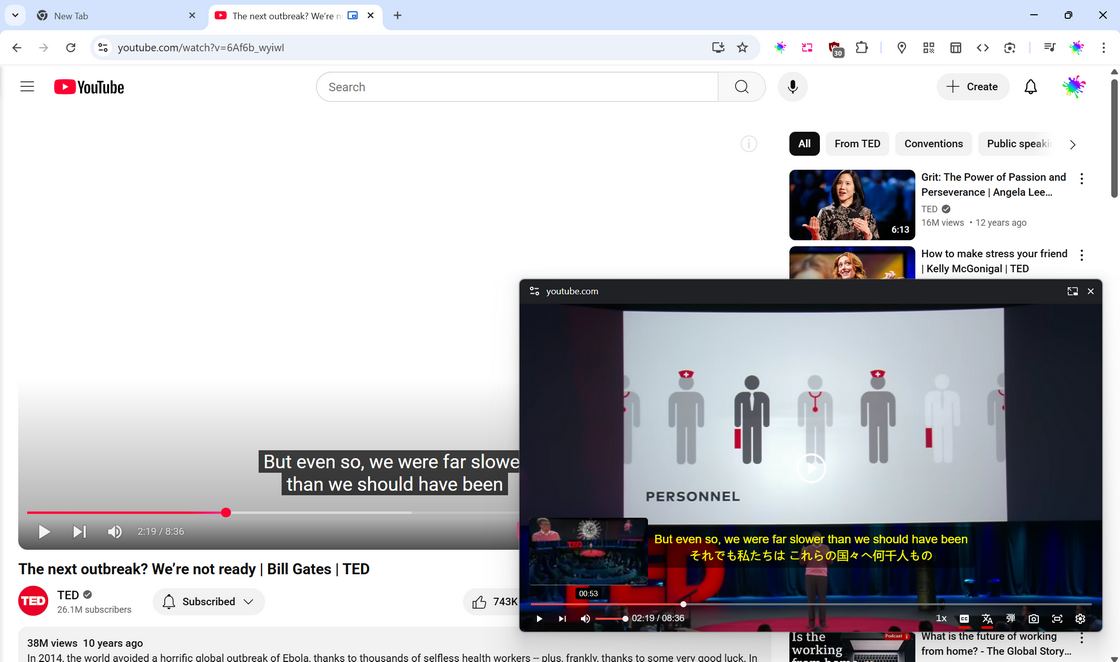
What is DualPiP?
DualPiP is the all-in-one Chrome extension that transforms any web video into an advanced picture-in-picture player with bilingual subtitles, AI-powered live captions, online subtitle search, learning mode, gesture controls, and danmaku. Whether you're multitasking, binge-watching foreign shows, taking online courses, or studying a new language, DualPiP helps you watch smarter and learn faster.
- ⚡One-click PiP for any video site — YouTube, Netflix, Disney+, Bilibili, and 200+ more
- 🌍AI live captions, bilingual subtitles, subtitle search & download — never miss a word
- 🎓Learning mode with AB loop, gesture controls, danmaku — built for power users
- 🔒Privacy-first: runs locally, your data stays on your device
Core Features
Unlock DualPiP's Full Potential
Upgrade to DualPiP Player Pro — unlock more platform subtitle support, batch pre-translation, AI translation, and full customization.
Free
- Picture-in-Picture player — float any video, multitask freely
- Full playback controls & keyboard shortcuts
- Bilingual subtitle translation (Google, Microsoft, Yandex)
- Online subtitle search, download & local import
- Auto-enable captions on streaming sites
- YouTube learning mode (AB loop, sentence selection)
Pro
- Everything in Free, plus:
- ASR live captions — real-time AI subtitles for any video
- 30+ AI translation engines with context & movie info
- Batch pre-translation — translations ready ahead, zero wait
- Full subtitle style customization
- Web video enhancement & embedded-video PiP
- Streaming auto-skip, live chat danmaku, learning mode on all platforms
- Priority customer support
1-Year Plan
Same as PRO · Access expires after 1 year
- Everything in Free, plus:
- ASR live captions — real-time AI subtitles for any video
- 30+ AI translation engines with context & movie info
- Batch pre-translation — translations ready ahead, zero wait
- Full subtitle style customization
- Web video enhancement & embedded-video PiP
- Streaming auto-skip, live chat danmaku, learning mode on all platforms
- Priority customer support
Feature Comparison
See what's included in Free and Pro