


How to Get Free AI Live Captions? Deepgram Signup + CaptionGo & DualPiP Setup
How do I get AI live captions on videos that ship without subtitles?
CaptionGo overlays captions on the page (great on laptop and Android Chrome). DualPiP keeps captions in a floating picture-in-picture player—handy for lectures, Twitch, and multitasking. Both use ASR (speech-to-text) live captions, which require CaptionGo Pro or DualPiP Pro.
This guide is about the Deepgram side: claim the $200 new-user API credit (no credit card), create a key, and add it in each extension’s Live Captions settings. “Free” here means Deepgram speech API credit, not a free extension plan. For what ASR can do in the player, see DualPiP ASR, preload captions, and bilingual subtitle tools.
Signup stuck? Check your email first
Deepgram maintains a domain blocklist. Addresses on it often fail without any error message—the form may flicker and you never reach the console.
Typical trouble spots for US/EU readers:
- Burner / disposable inboxes (one-time signup sites)
- Little-known free webmail domains Deepgram does not trust
- Typos or role addresses on an otherwise fine domain (try a personal Gmail/Outlook instead)
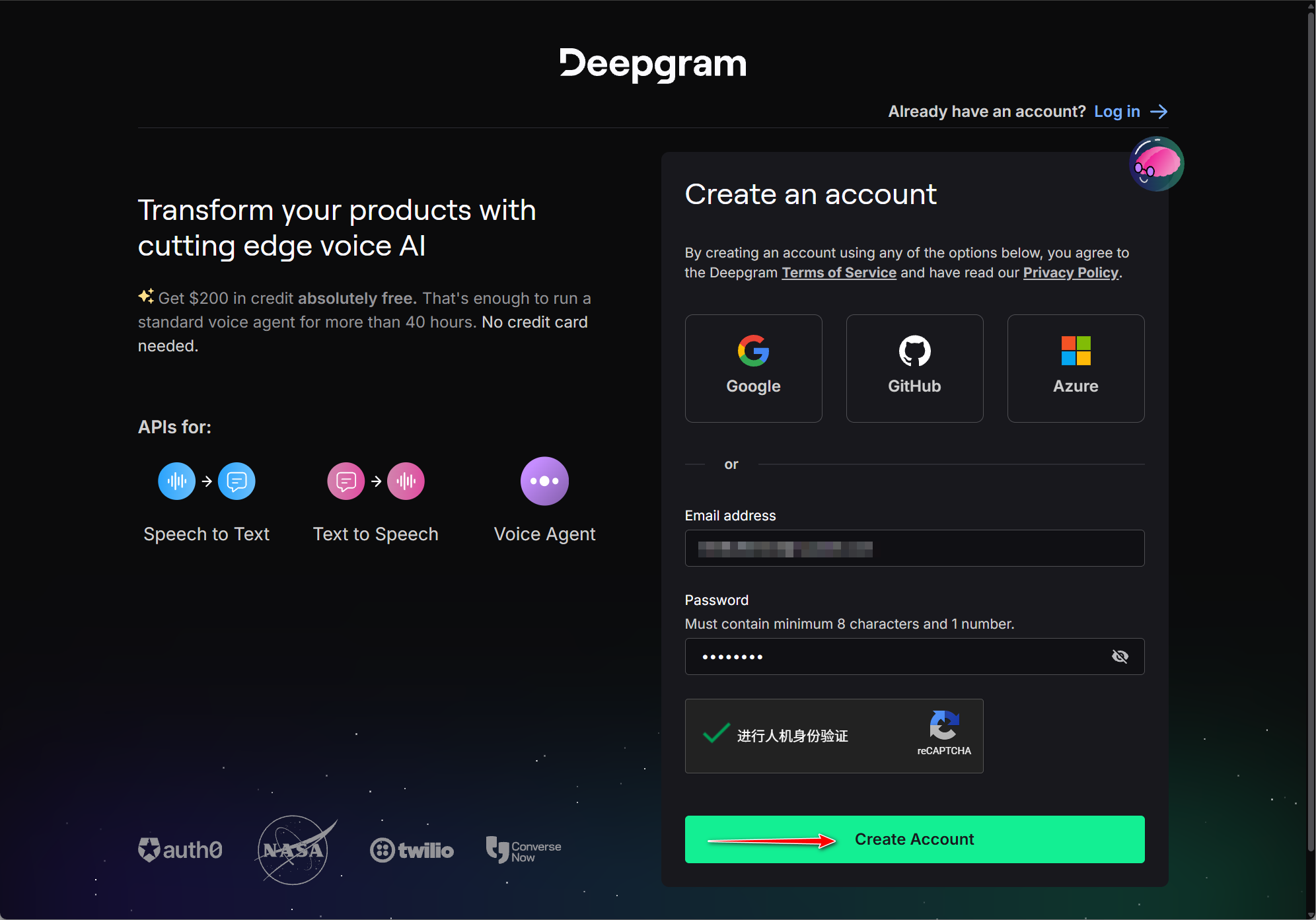
Fastest path: Continue with Google, GitHub, or Microsoft (Azure) on the signup screen. Otherwise use Gmail, Outlook, iCloud, or your company email. If one address fails, switch providers instead of clicking Create Account ten times on the same mailbox.
Step 1: Open Deepgram and create an account
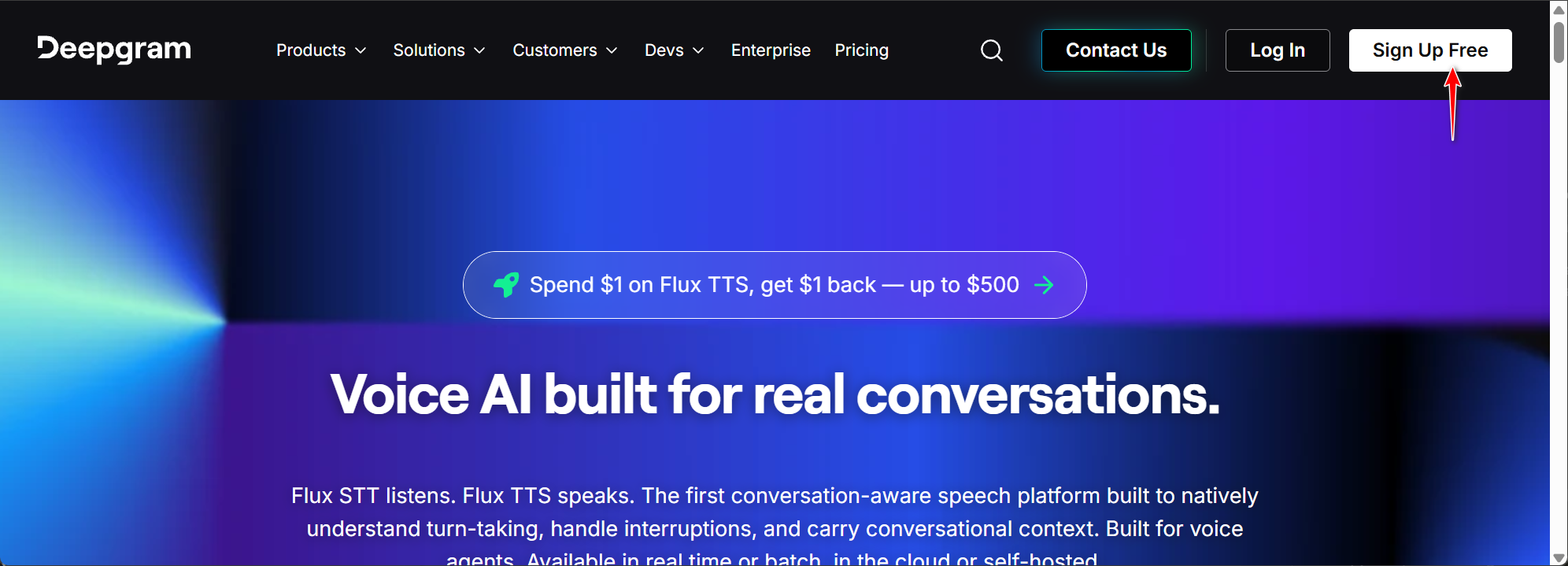
Go to deepgram.com and click Sign Up Free.
On Create an account, sign in with Google/GitHub/Azure, or register with email (password at least 8 characters including one number), complete CAPTCHA, then Create Account.
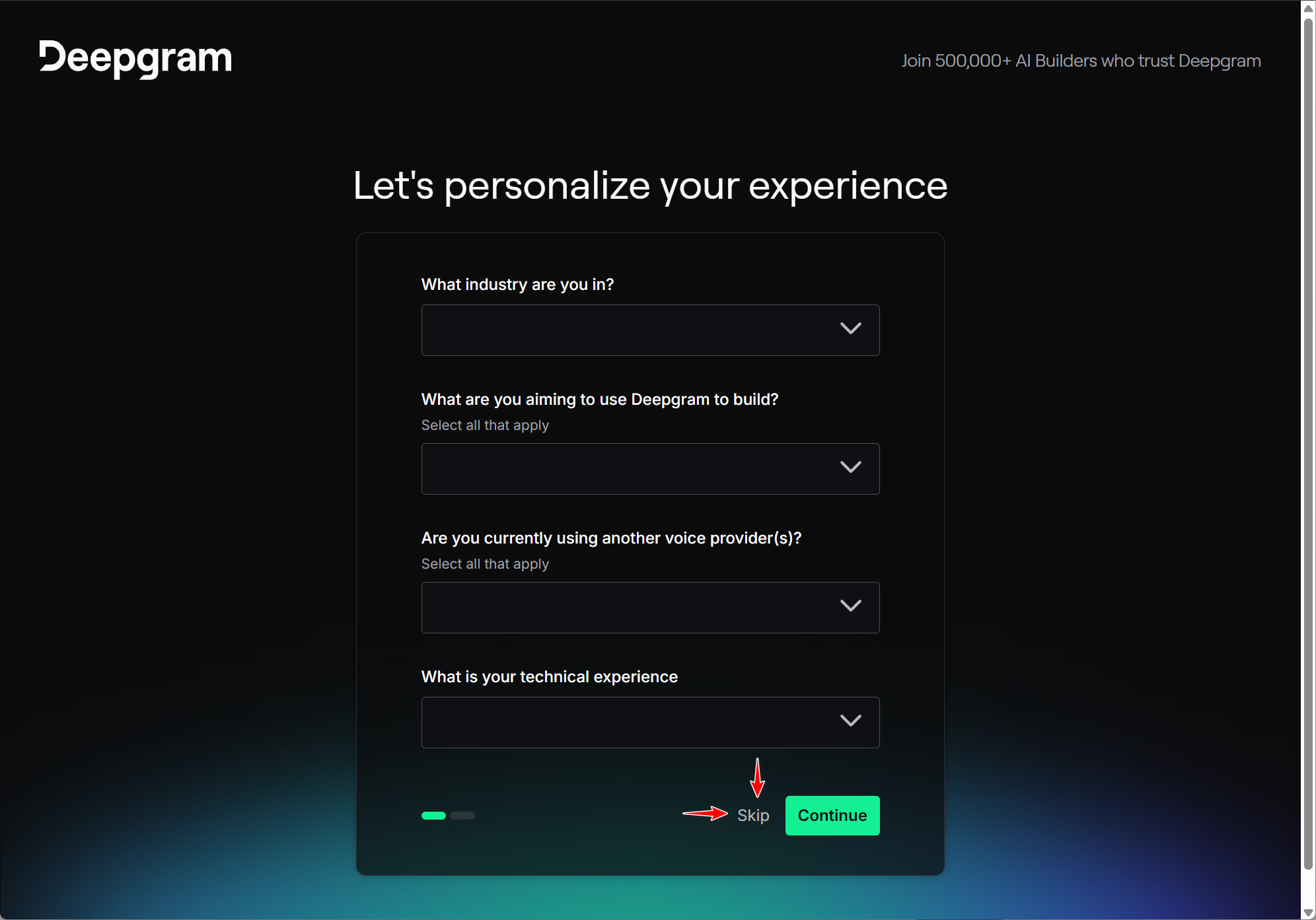
Step 2: Skip the onboarding survey
When you see Let's personalize your experience, click Skip.
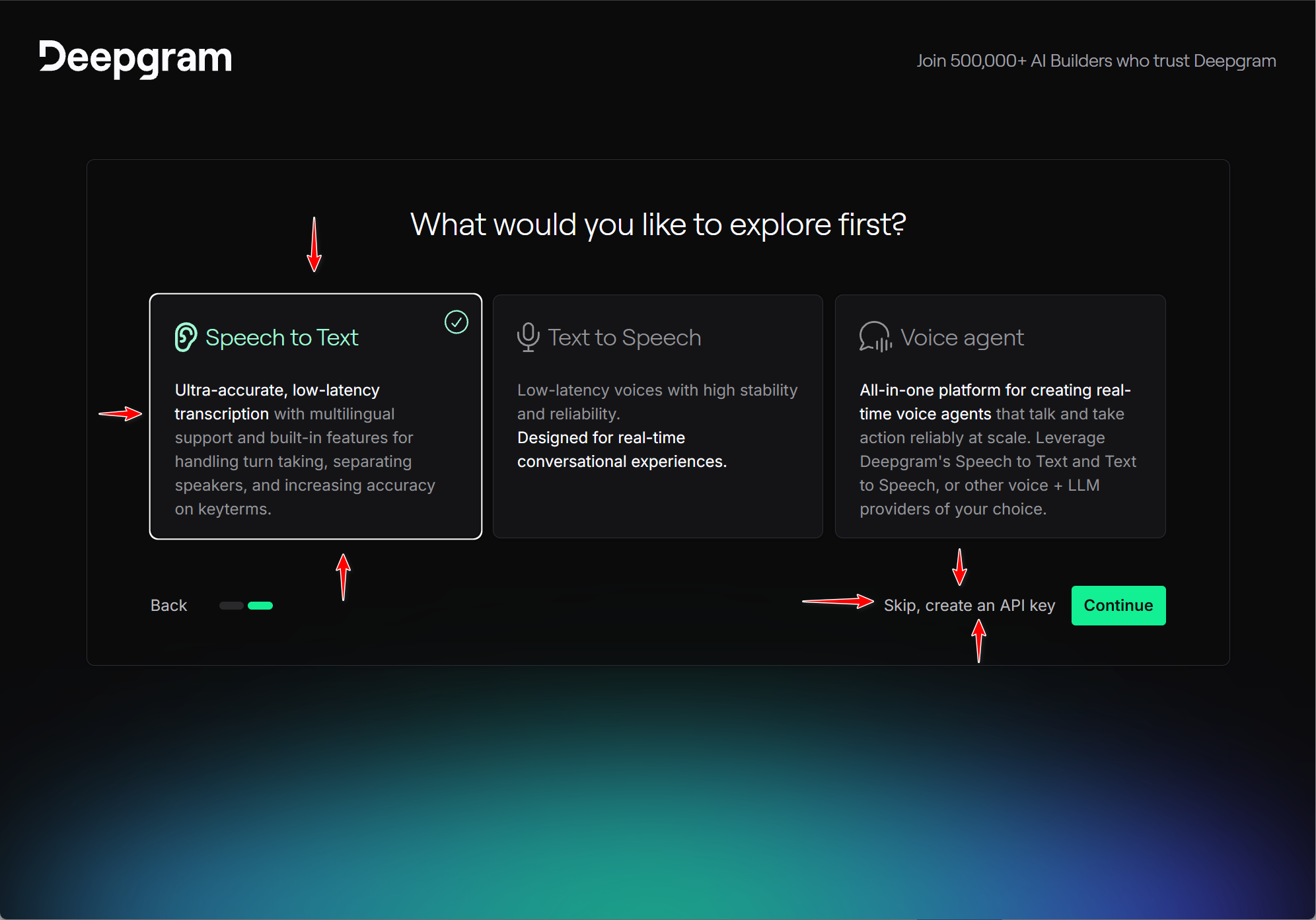
If asked What would you like to explore first?, pick Speech to Text, then Skip, create an API key.
Step 3: Create and copy your API key
You should see Credit: $200.00 at the top.
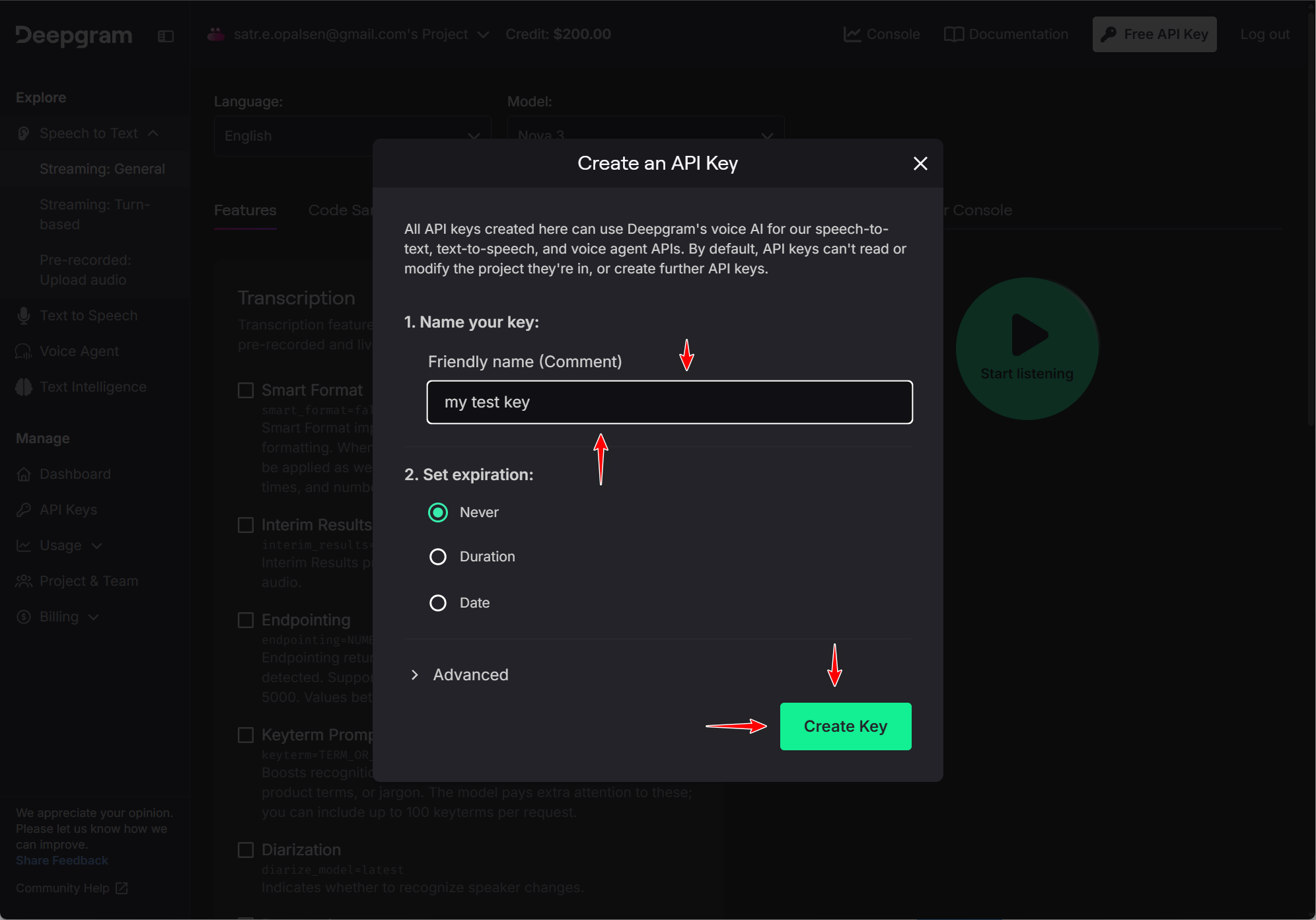
In Create an API Key, set Friendly name (for example CaptionGo or DualPiP), set Expiration to Never, then click Create Key.
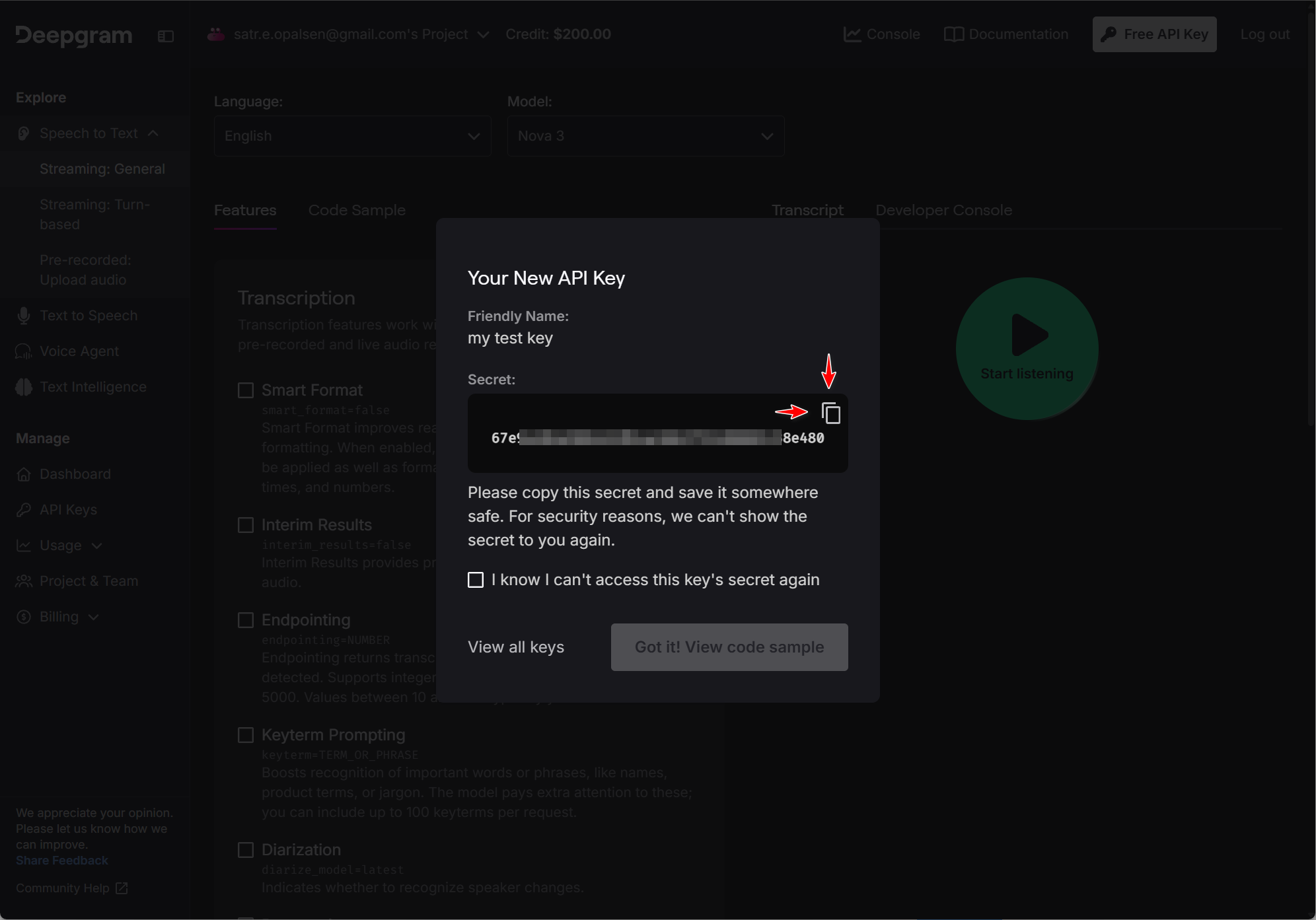
Copy the Secret immediately (you cannot view it again). Check the confirmation box and click Got it!.
You can also use API Keys → Create a New API Key. Official docs: Creating API Keys.
Configure Deepgram in CaptionGo
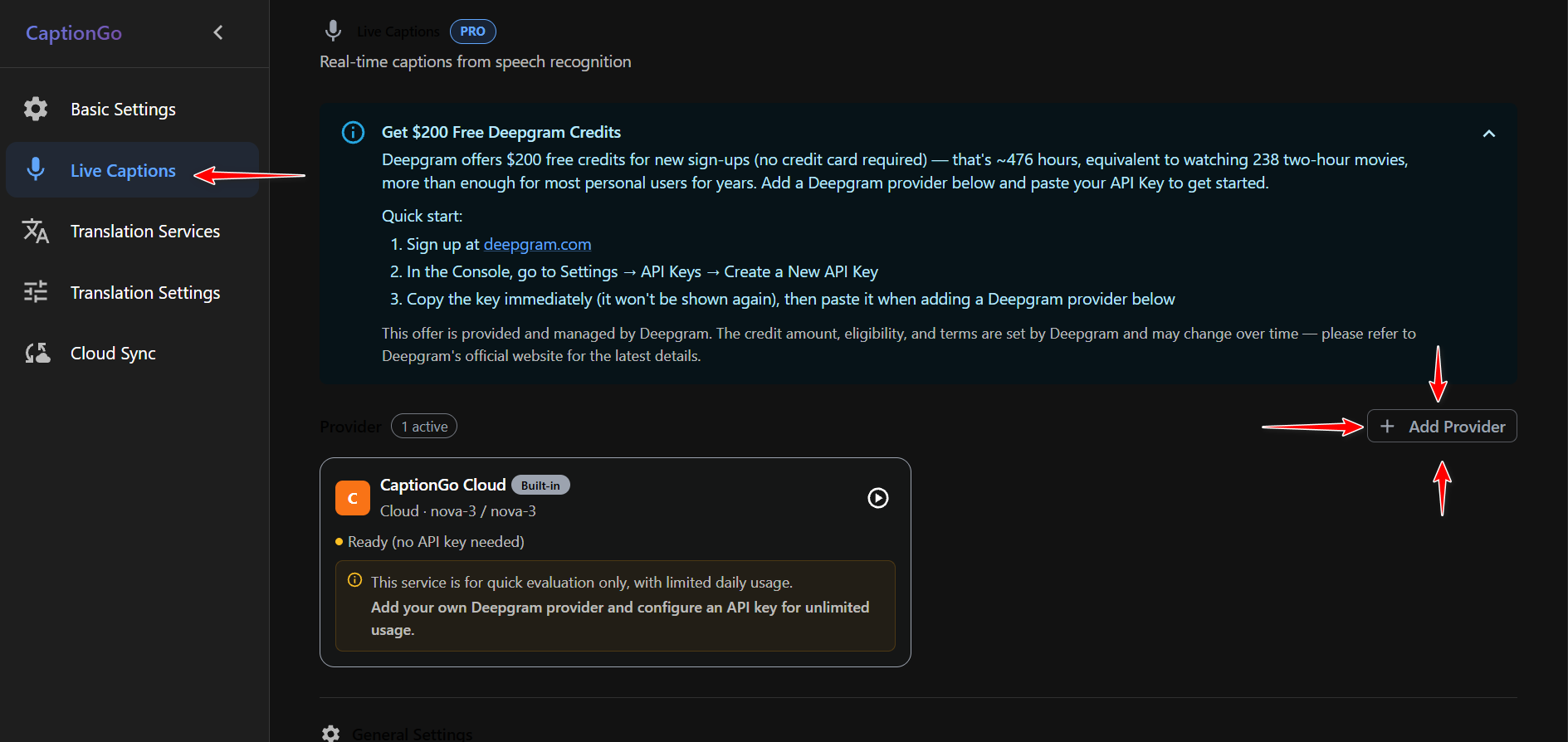
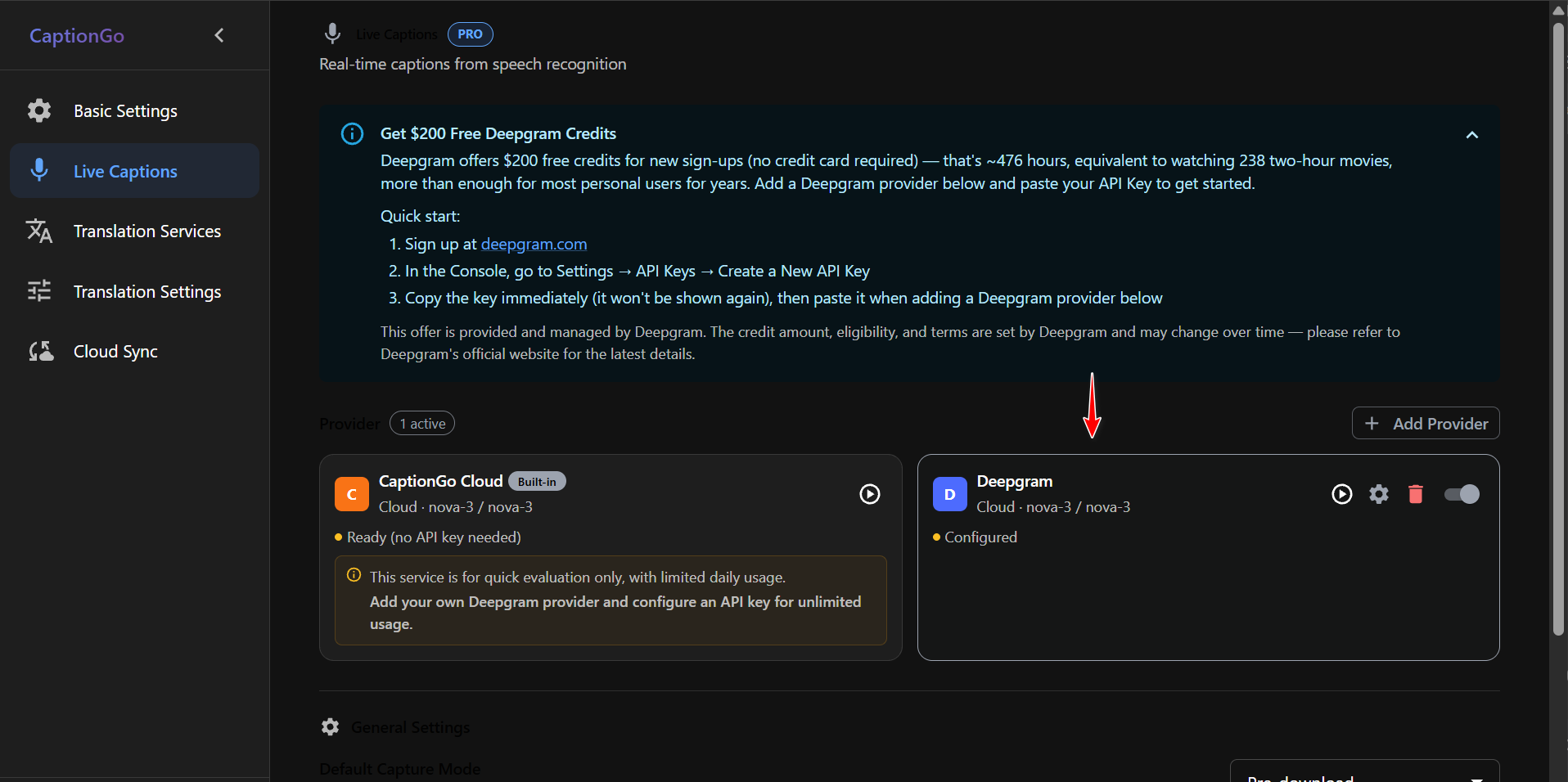
Open CaptionGo Settings (extension icon → Settings) → Live Captions → + Add Provider.
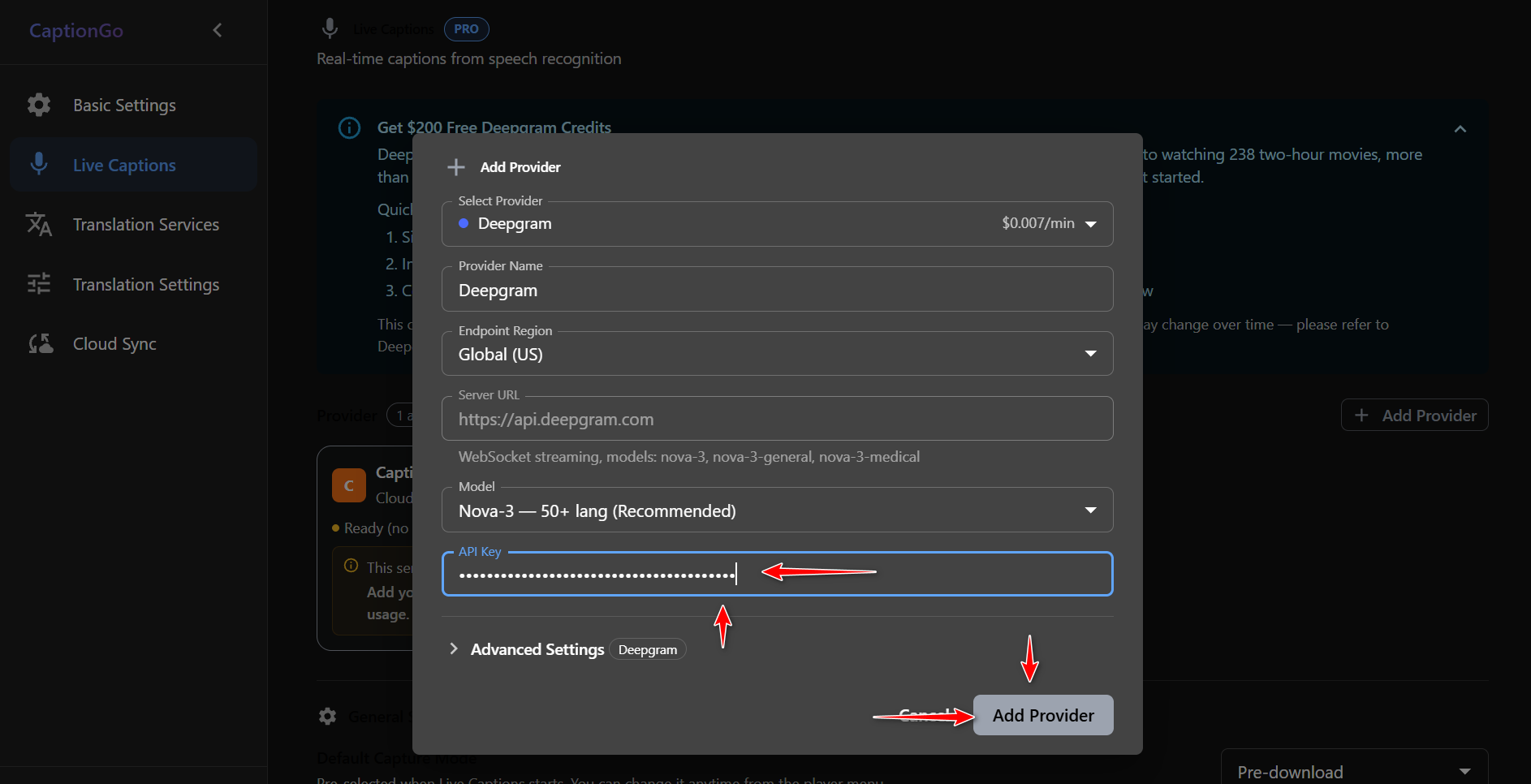
Select Provider: Deepgram. Model: Nova-3 — 50+ lang. Paste the API Key, then click Add Provider.
When the card shows Configured, turn it on, then enable Live Caption / ASR on the player.
Configure Deepgram in DualPiP
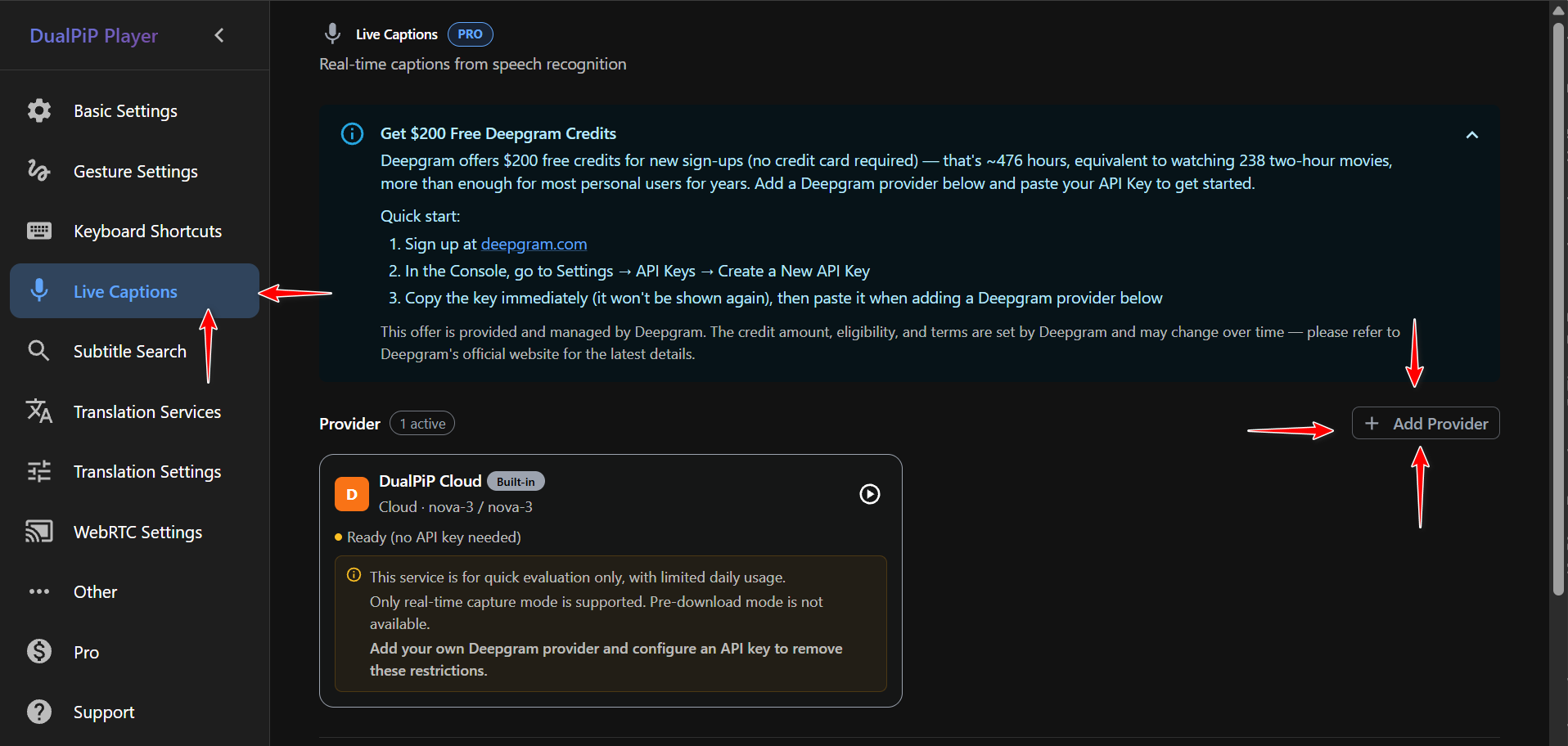
Add it again in DualPiP Player settings. CaptionGo settings are not shared. Open Live Captions → + Add Provider.
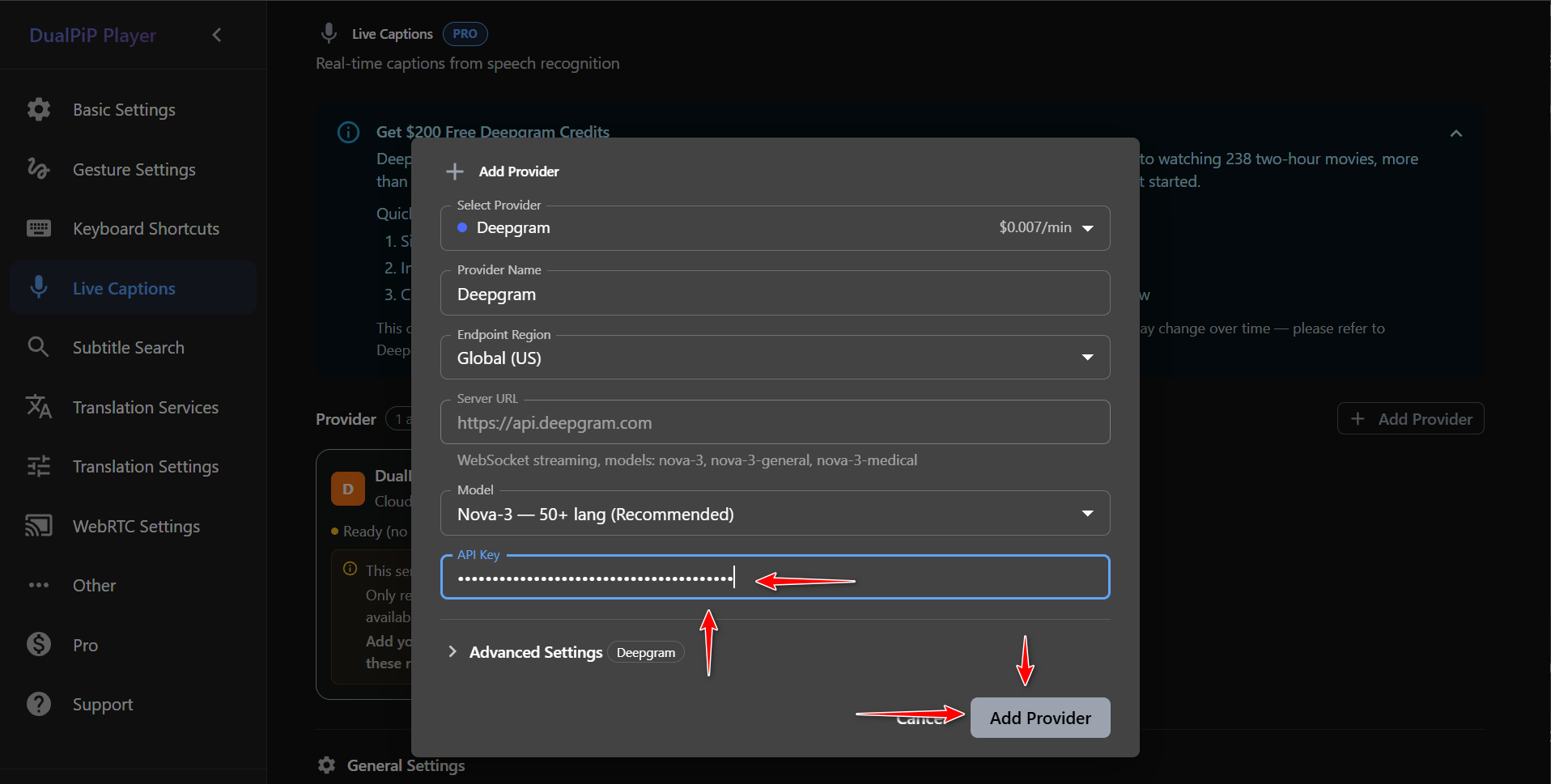
Choose Deepgram, model Nova-3, paste the key, then click Add Provider.
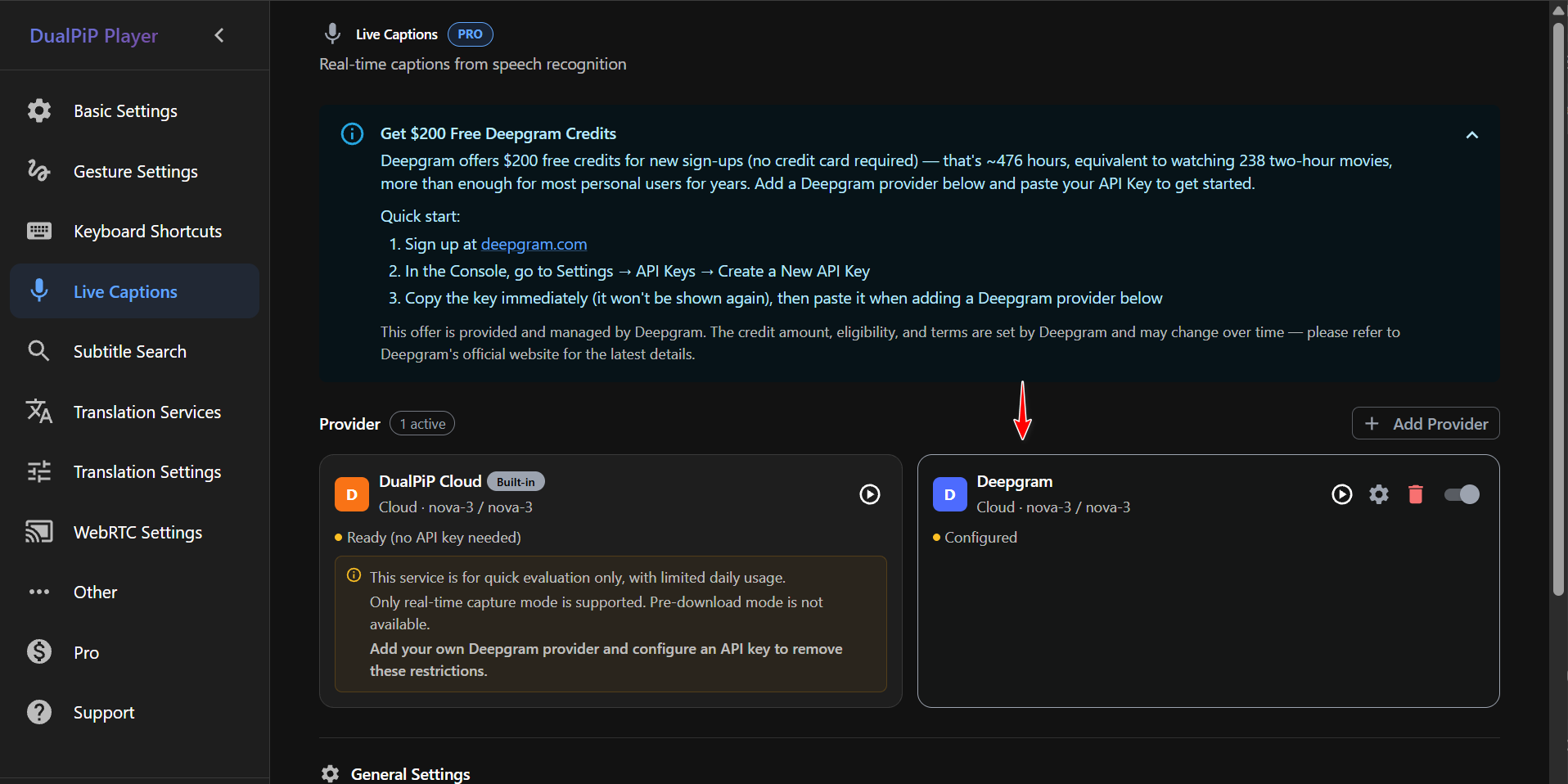
When the card shows Configured, turn it on, and start ASR from the picture-in-picture control bar.
Pair with learning mode A–B loop and AI bilingual translation.
CaptionGo or DualPiP — which fits your watch habit?
The extensions do not share settings. If you use both, add Deepgram separately in each Live Captions page (one API key can power both).
| Extension | Best for | Turn captions on |
|---|---|---|
| CaptionGo | In-page overlay, mobile Chrome, fullscreen | Player Live Caption / ASR |
| DualPiP | PiP window, courses, live streams, study mode | ASR button in PiP bar |
Does Deepgram require a credit card? Will I be charged when credit runs out?
No credit card and no payment method are required to sign up and use the $200 promo. If you never add billing in Deepgram, nothing auto-charges when credit hits zero — the API simply stops (ASR in the extension may fail). To continue, add pay-as-you-go billing voluntarily or follow whatever new-account offers Deepgram publishes (we do not recommend abusing multiple accounts).
| Question | Answer (quotable) |
|---|---|
| Credit card to register? | No — Sign Up Free |
| Payment method required? | No — you can spend the $200 without adding a card |
| Credit exhausted? | Transcription stops — no silent charges |
| Want more usage? | Opt in to paid billing, or a new account per official rules |
| How long is $200? | Roughly 476 hours on nova-3 (~238 two-hour films) |
Terms and credit rules: deepgram.com.
Built-in Cloud vs your own Deepgram API key
| Built-in Cloud | Your Deepgram API key | |
|---|---|---|
| Deepgram account needed? | No | Yes (free signup, no card) |
| Daily cap | ~30 minutes trial | Balance-based (from $200 for new users) |
| Live + pre-download ASR | Supported | Supported |
| Who pays | Extension trial quota | Your Deepgram credit or voluntary top-up |
| Key storage | None | Local in browser; requests go straight to Deepgram |
With your own key, usage follows your Deepgram balance instead of the ~30 min/day built-in cap.
FAQ
Q: I only signed up for Deepgram — can I use live captions without Pro?
No. You need Pro, plus either built-in Cloud or your own key.
Q: Signup does nothing when I click Create Account
Usually a blocked email domain. Use Google/GitHub/Microsoft SSO or a mainstream inbox (Gmail, Outlook, iCloud). See the section above—no error toast is normal for blocklist hits.
Q: Everything is configured but I still see no captions
- Just upgraded to Pro: extension icon or Settings → avatar → Refresh Account Info, then reload the video tab and enable ASR again.
- Wrong language: with live captions already running, click the green dot (work-status indicator) at the top-right corner of the video and pick the spoken language in the panel. The dot only appears while live captions are on.
- Still stuck: confirm your Deepgram provider is enabled and console balance is above zero.
Q: Can I try ASR without registering Deepgram?
Yes — use built-in Cloud (~30 minutes per day). For longer sessions, follow this guide and add your key.
Q: API key leaked?
Rotate the key in Deepgram Console and update the provider in both CaptionGo and DualPiP.
For translated captions, see the AI translation BYOK guide.